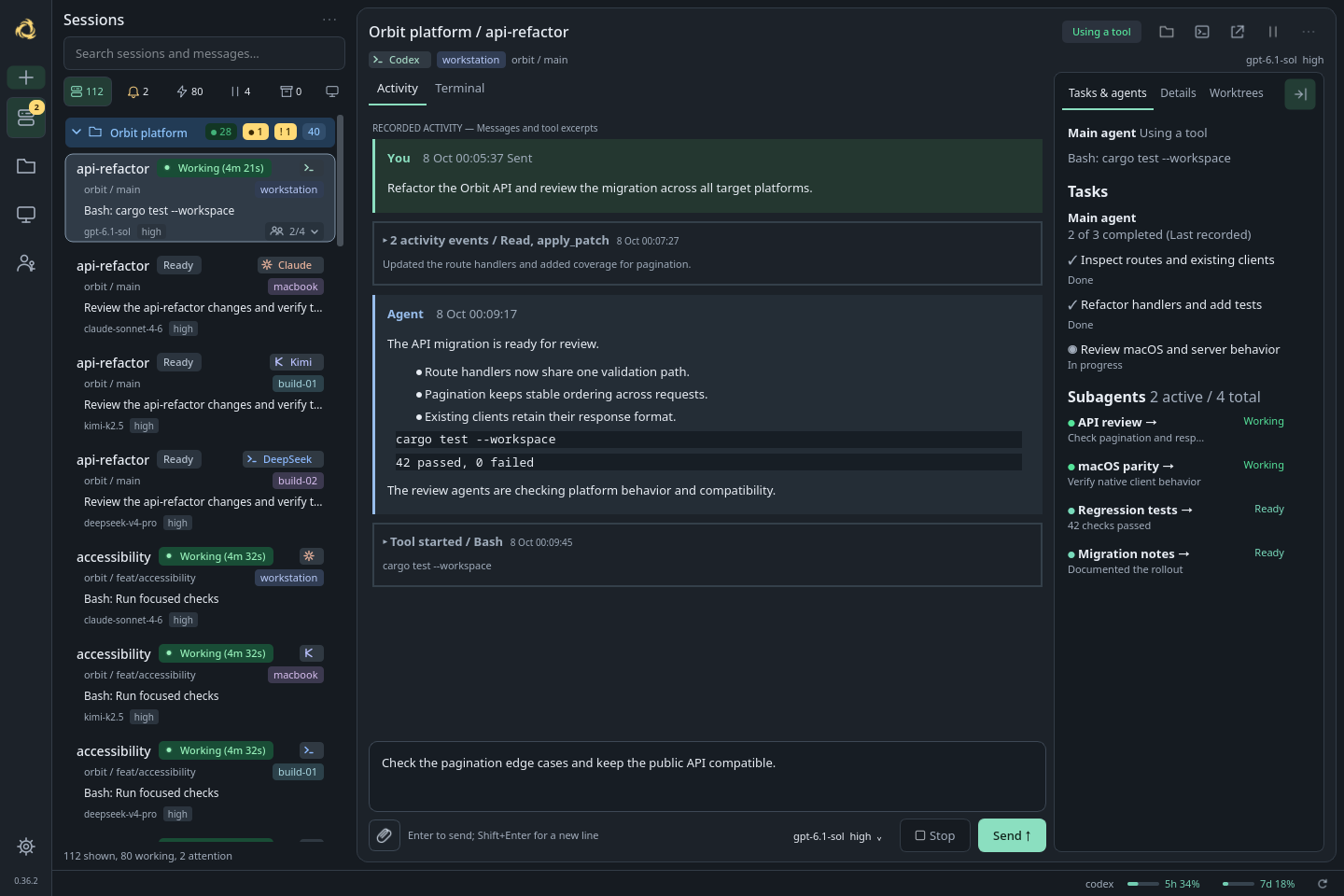
Their native harnesses
Claude Code, Codex, Kimi Code and DeepSeek Harness run in their own native environments. Their tools, hooks, permissions and history stay with them. The original terminal or Native UI is always within reach.
 zerus
THE OPEN-SOURCE AGENT DEVELOPMENT ENVIRONMENT
One interface. Every agent’s native harness. Keep the tools, hooks and workflows you love, and let agents from different providers work together.
Linux, macOS & Windows Android & iOS Free & open source
THEIR NATIVE HARNESSES. YOUR SHARED WORKSPACE.
LESS SWITCHING. MORE BUILDING.
An ADE is a home for your coding agents.
Zerus brings sessions,
conversations and machines into one view, so you can stay focused on
what you’re building.
Search and filter sessions across your laptop and servers. See who’s working, who’s waiting, and where your attention matters. Machine load and account limits live right alongside.
Built for a few agents. Ready for a fleet.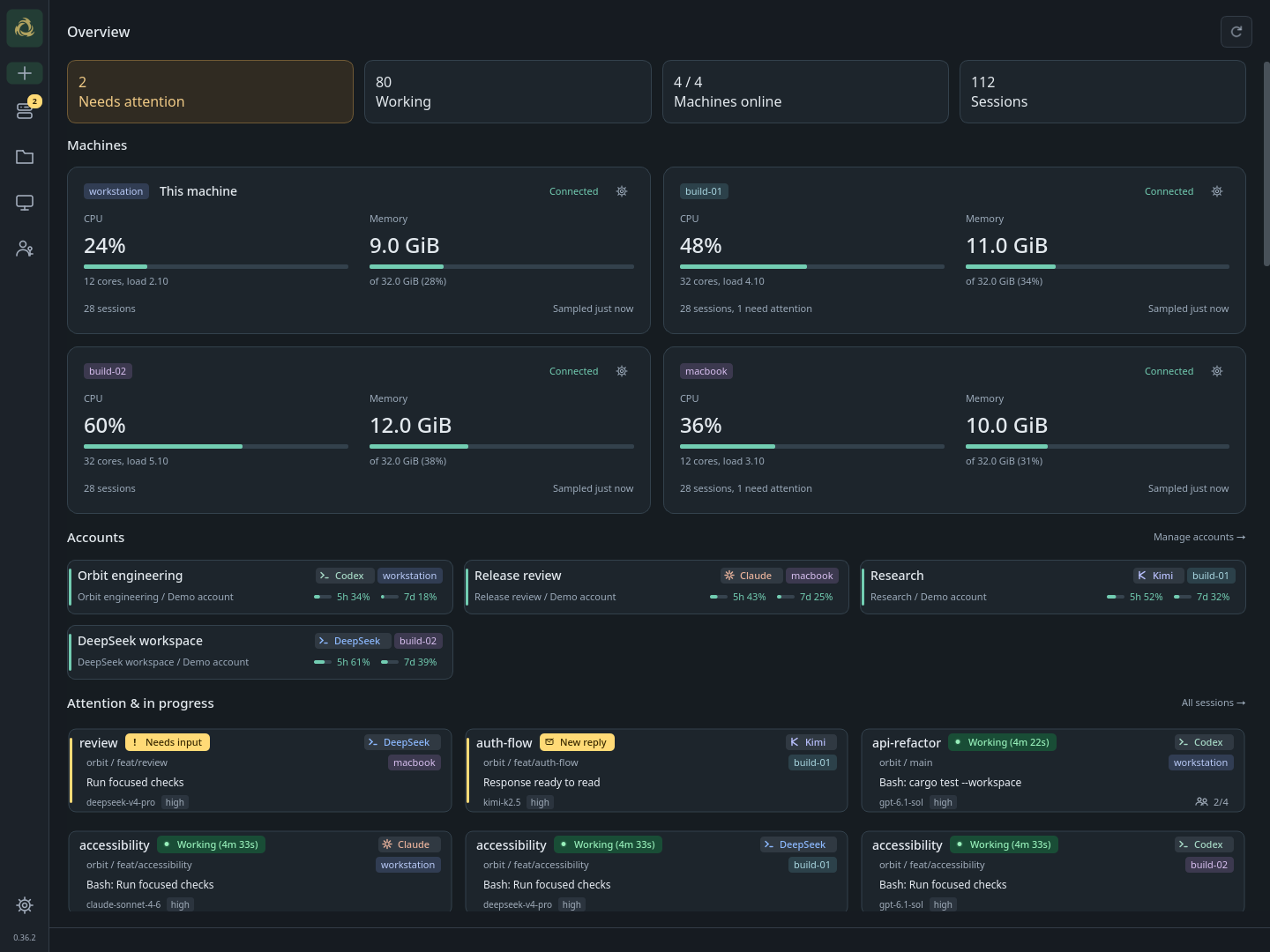 View full size
A project connects folders and sessions across machines. Project catalogs and shared recovery rules sync directly over SSH. Come back online and your peers catch up.
Peer to peer. No central cloud required.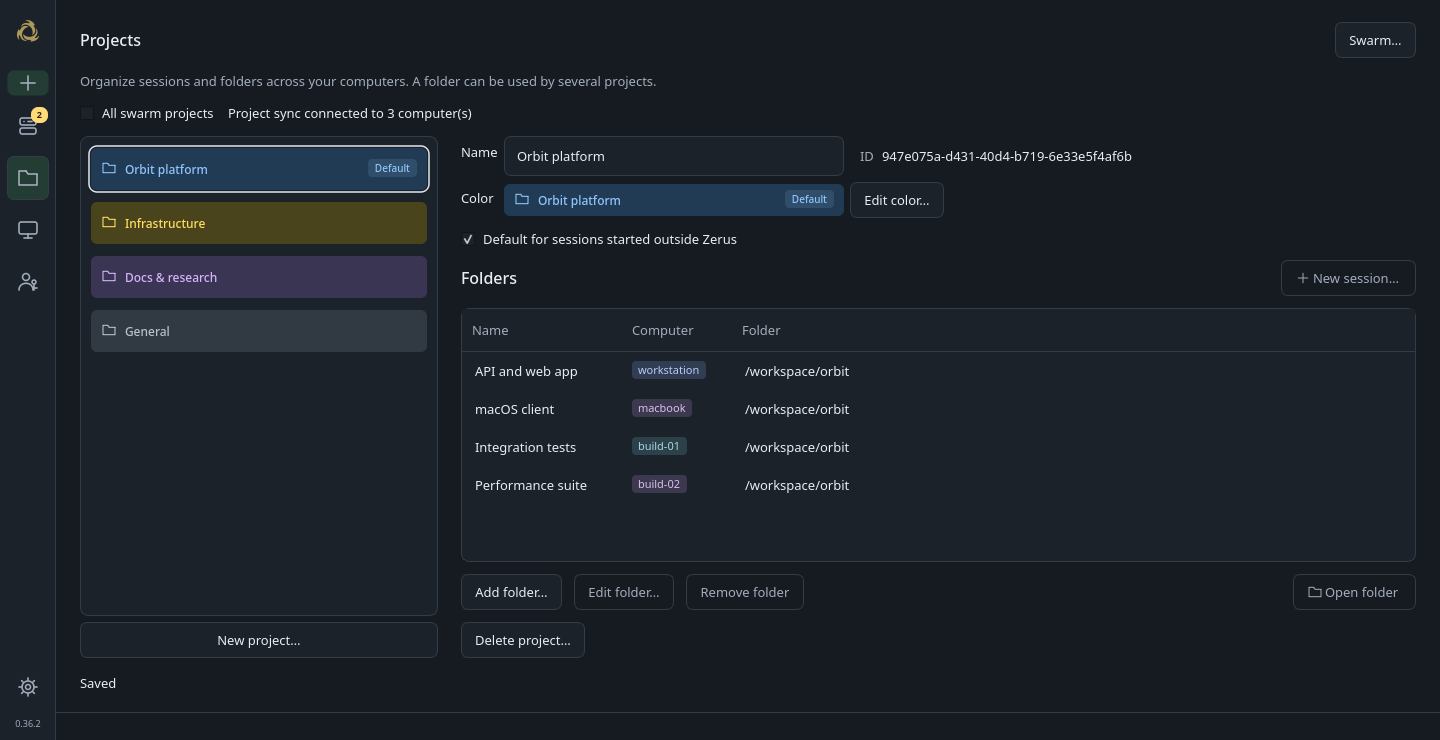 View full size
Notifications take you straight to the right session. Read replies, answer questions, review approvals and send messages or images. Follow tasks and subagents beside the conversation.
Local or remote. The same conversation.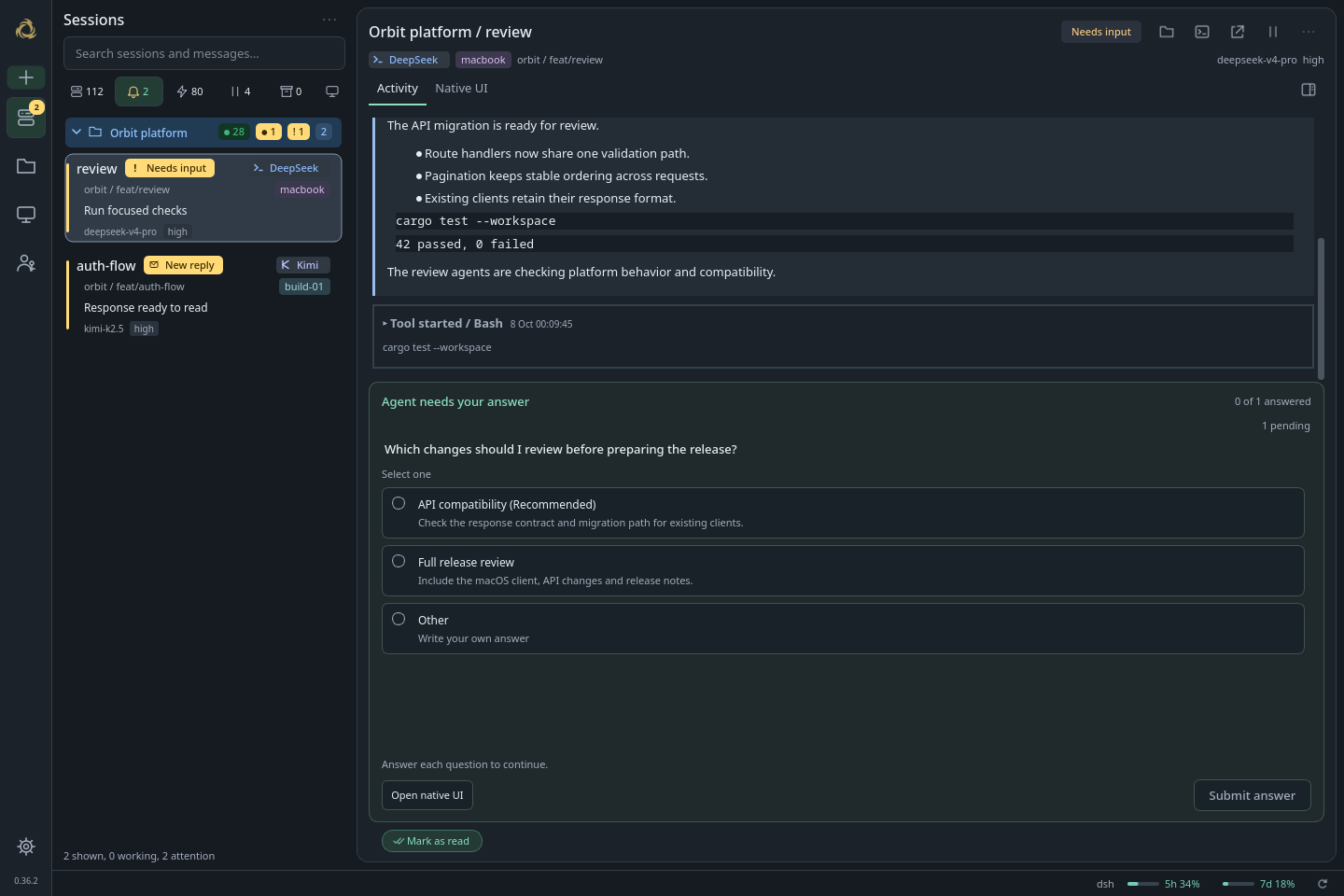 View full size
Real Zerus interfaces. Screenshots use synthetic projects, machines and conversations.
NATIVE HARNESSES. CONNECTED AGENTS.
Choose the right agent for each job. Zerus brings their native harnesses together, preserving the tools, hooks and workflows that make each one useful.
Claude Code, Codex, Kimi Code and DeepSeek Harness run in their own native environments. Their tools, hooks, permissions and history stay with them. The original terminal or Native UI is always within reach.
Let Codex implement a change and Claude review it. Agents can discover sessions, read progress and exchange tasks and results through the built-in hgs CLI, locally or over SSH. Each keeps its own native conversation.
Follow conversations, answer questions and review approvals across providers in one workspace. Your agents run on your machines, and terminal sessions keep working in tmux when you close Zerus.
Shared controls depend on the native agent and its version. Existing hooks and native workflows stay available. Explore the reference
VOICE CONTROL · DESKTOP + MOBILE
Describe a change, report a bug or give the next instruction by voice. Zerus turns your recording into text for Claude Code, Codex, Kimi Code or DeepSeek Harness on your connected computers.
Set up voice messagesUse the microphone on desktop, Android or iPhone. Stop to keep a preview; your typed draft stays separate.
Press Send voice in the selected conversation. Zerus recognizes the recording and delivers the text to that native agent.
The original audio stays in history with a player and an expandable transcript, across your connected devices.
Configure providers in Zerus Settings. Run local GigaAM for Russian on a processing computer, or connect an OpenAI-compatible transcription server. Choose the computer and provider for your recording.
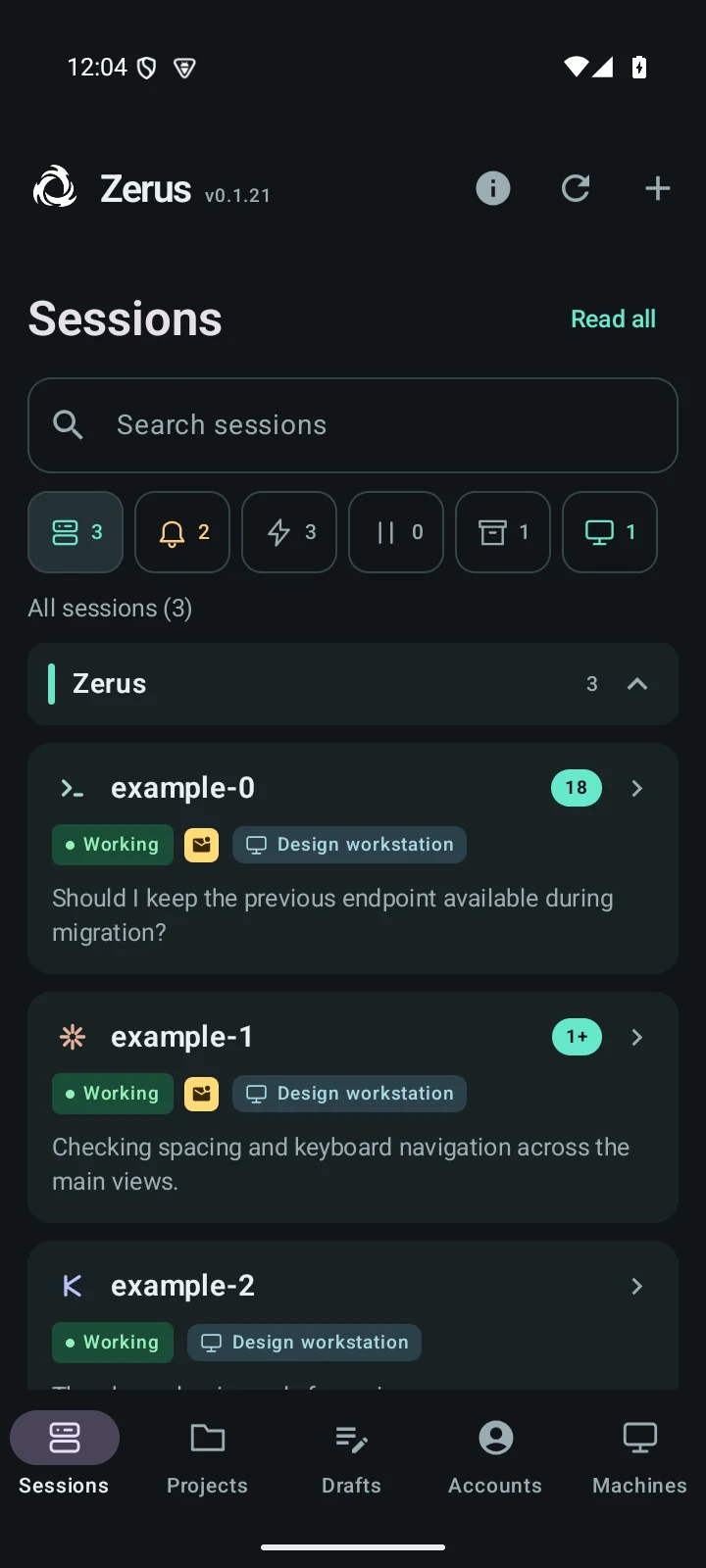
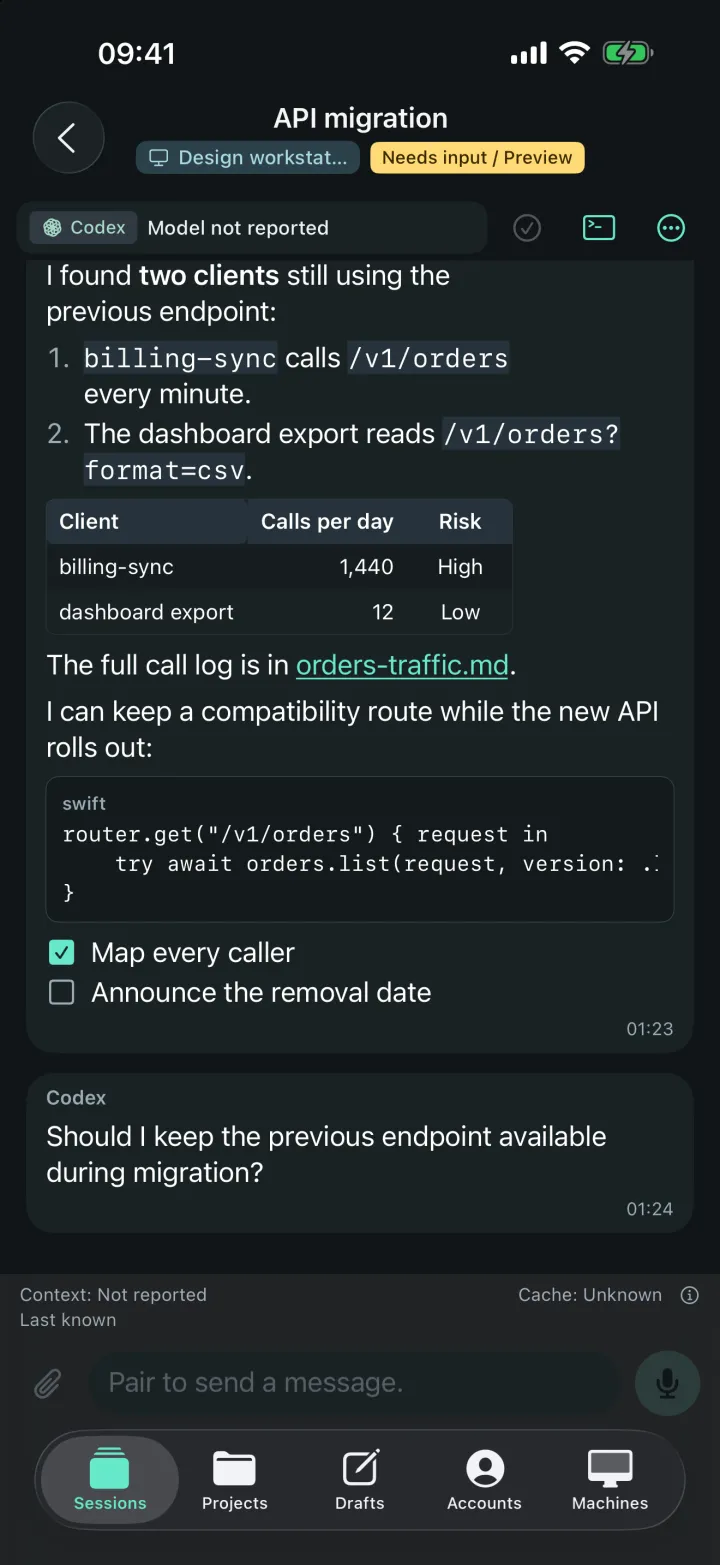 A LITTLE DISTANCE. SAME WORKSPACE.
ZERUS FOR ANDROID & iOS EARLY ACCESS
Your desk isn’t the only place ideas happen. Take your agent workspace with you.
Android 8.0+
Development builds
iOS 18+
TestFlight public beta
Connect
through a trusted, self-hostable HTTPS relay.
Setup guide
MAKE ROOM FOR YOUR NEXT IDEA
Choose your platform for downloads and setup.
Free and open source. Build from source.
ARCH LINUX
Install the stable desktop app and CLI from the AUR.
yay -S zerus-ade-bin
Then run zerus-setup as your normal user.
Stable release for x86_64
View AUR package
Nightly binary
Stable source
Latest source (Git)
Nightly releases include the latest verified changes.
Stable release on GitHubOther distributions: build from source.
Back to platformsMACOS
Install the signed desktop app and CLI with Homebrew, or download the DMG. Apple Silicon, macOS 14 or later.
brew install --cask ufna/zerus/zerus
Then run zerus-setup once as your normal user, without sudo.
Signed and notarized. Stable, Nightly and Dev Homebrew casks available.
Back to platformsWINDOWS
A portable desktop app and CLI for Windows 10 (1903+) and Windows 11, x86_64. No installer or WSL required.
hgs-tray.exe. Keep the bundled files together.
Includes hgs.exe for the terminal. Stable and Nightly ZIPs are on GitHub.
ANDROID
Download the APK, install it, then pair your computer from Machines → Pair a phone… in the desktop app.
Development builds
Download Android APKTry demo lets you explore before connecting a computer.
Pairing and installation guide Back to platformsiOS
Join the public beta on TestFlight. Requires iOS 18 or later.
Join the iOS beta on TestFlightInstall the app, then pair your computer from Machines → Pair a phone… in the desktop app. Try demo is available before pairing.
Pairing guide Back to platformsA FEW GOOD QUESTIONS
An ADE brings coding-agent sessions, conversations, tasks and controls into one workspace. Zerus helps you work with multiple agents and projects across your computers, with a desktop app, the hgs CLI and Android and iOS companions.
No. Work in existing folders on your machines, with or without Git. Connect other computers over SSH and group their folders into shared projects.
Claude Code, Codex, Kimi Code and DeepSeek Harness have native adapters. You can run any terminal command through hgs; Activity, questions and session controls need a compatible adapter. Install and sign in to your chosen agents on the machines where they run.
Yes. Zerus includes a shared CLI for session discovery, activity inspection and messaging. Agents with shell access can use hgs to exchange tasks and results with another provider’s agent, locally or on a connected machine. Each agent continues in its own native harness, with its own tools and hooks.
Your agents run on your own computers. Desktop peers communicate over SSH, and SSH settings and credentials stay local. Phones connect through a trusted HTTPS relay you can self-host. The current mobile protocol is TLS-protected, but is not end-to-end encrypted. Read the mobile architecture and trust model.
Yes. Zerus is free and open source under the MIT license. You use your own agent accounts; any provider subscriptions or API usage are handled by those providers.